SmartScreen app reputation demonstration
Applies to:
- Microsoft Defender for Endpoint Plan 2
- Microsoft Defender for Business
- Microsoft Defender for Endpoint Plan 1
Test how Microsoft Defender for Endpoint SmartScreen helps you identify phishing and malware websites based on App reputation.
Scenario requirements and setup
- Windows 11 or Windows 10
- Windows Server 2022 or Windows Server 2019 or Windows Server 2016 or Windows Server 2012 R2 or Windows Server 2008 R2
- Microsoft Edge or Internet Explorer browser required
- To turn ON/OFF, go to Settings > Update & Security > Windows Security > Open Windows Security > App & browser control > Check apps and files
Scenario Demos
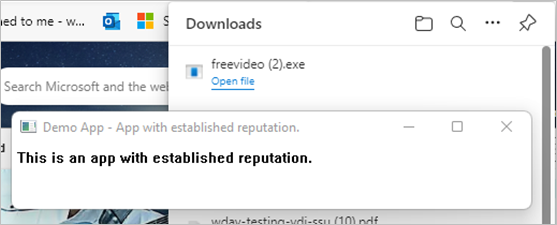
Known good program
This program has a good reputation; the download should run uninterrupted:
-
Launching this link should render a message similar to the following:
Unknown program
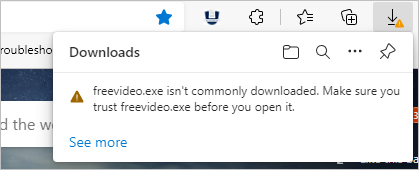
Because the program download doesn't have sufficient reputation to ensure that it's trustworthy, SmartScreen will show a warning before running the program download.
-
Launching this link should render a message similar to the following:
Known malware
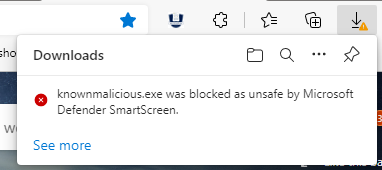
This download is known malware; SmartScreen should block this program from running.
Launching this link should render a message similar to the following:
Learn more
Microsoft Defender SmartScreen Documentation
See also
Microsoft Defender for Endpoint - demonstration scenarios
Tip
Do you want to learn more? Engage with the Microsoft Security community in our Tech Community: Microsoft Defender for Endpoint Tech Community.